// Build Your Mom a Website
It's easier than explaining what an AI coding agent is
Origin Story
I wanted to show my mom what exe.dev and the Shelley coding agent could do. Building a website for her book club seemed like the perfect demo: a real project with a real audience, created entirely through conversational prompts.
The result is uwbookclub.com, a site for the Unique Women's Book Club, a group that meets monthly at a café in Petaluma, California. The site displays meeting details, the reading list, and links to find each book.
The Goal
This project demonstrates that non-trivial, production-quality websites can be built entirely through natural language conversation with an AI agent. I didn't write any code manually. Every line of HTML, CSS, and JavaScript was generated by Shelley based on conversational prompts.
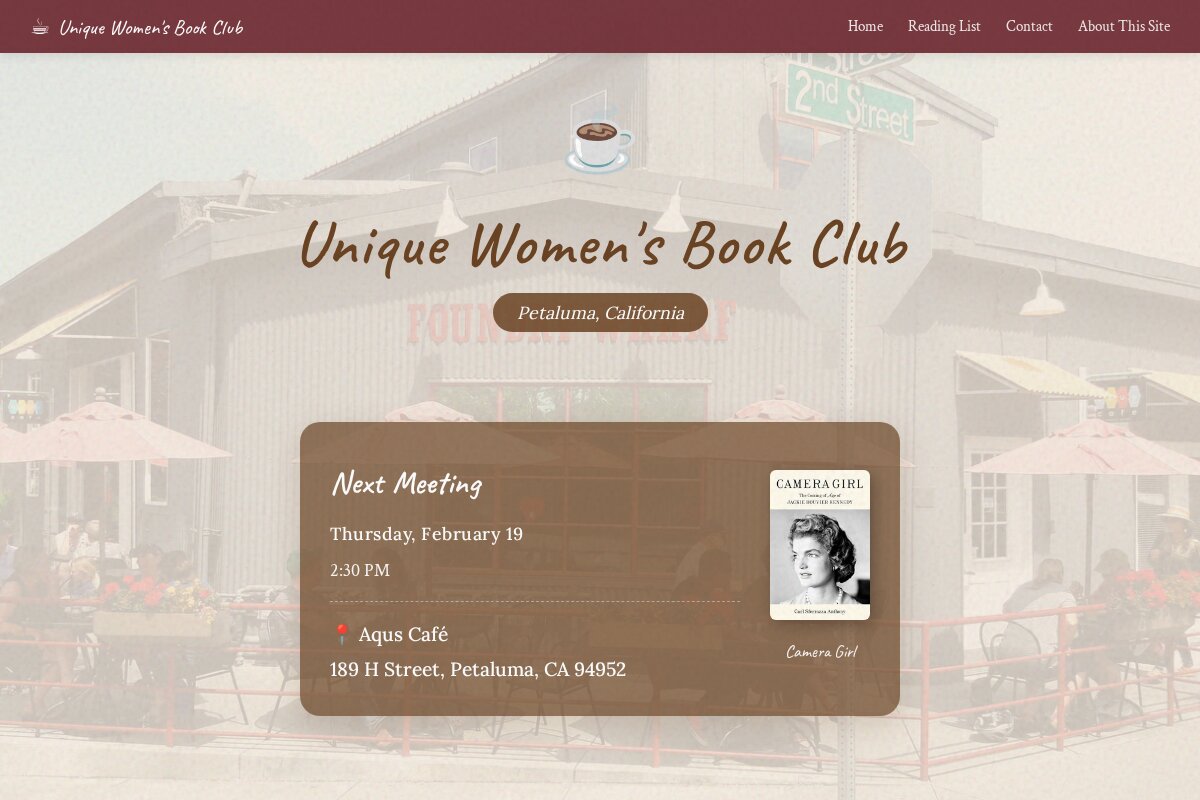
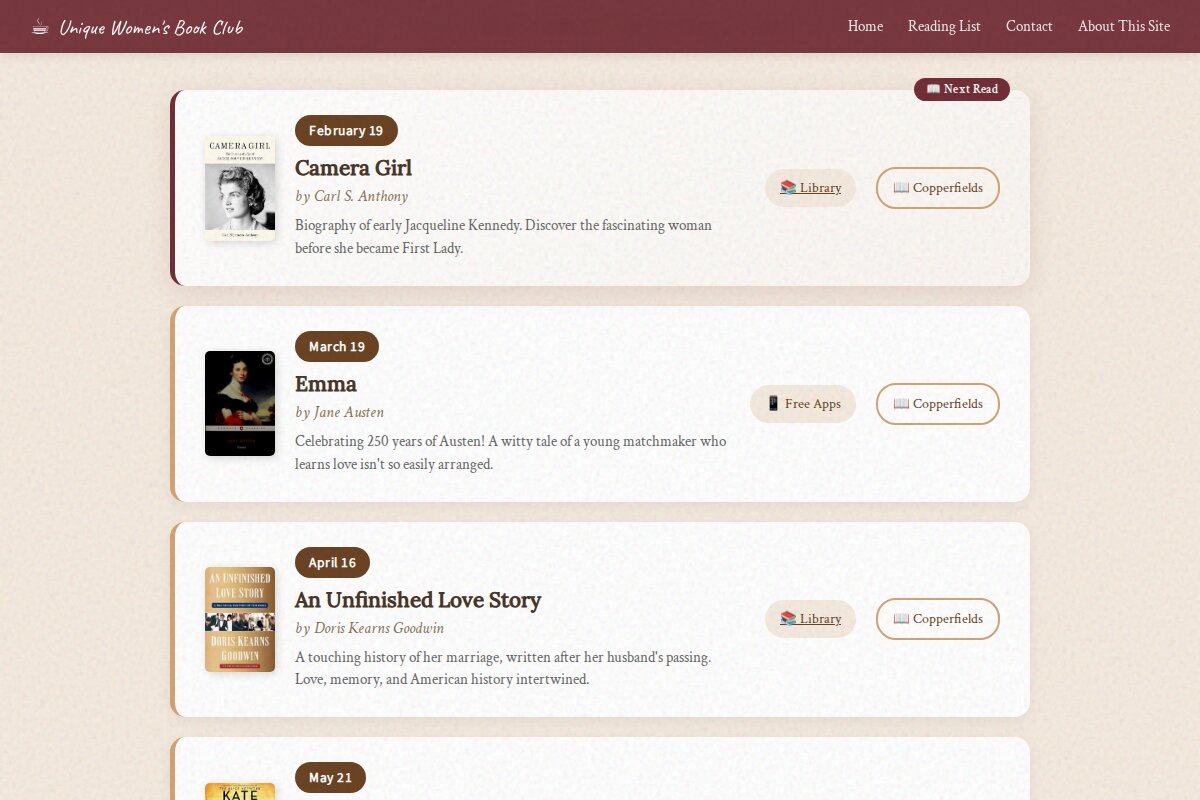
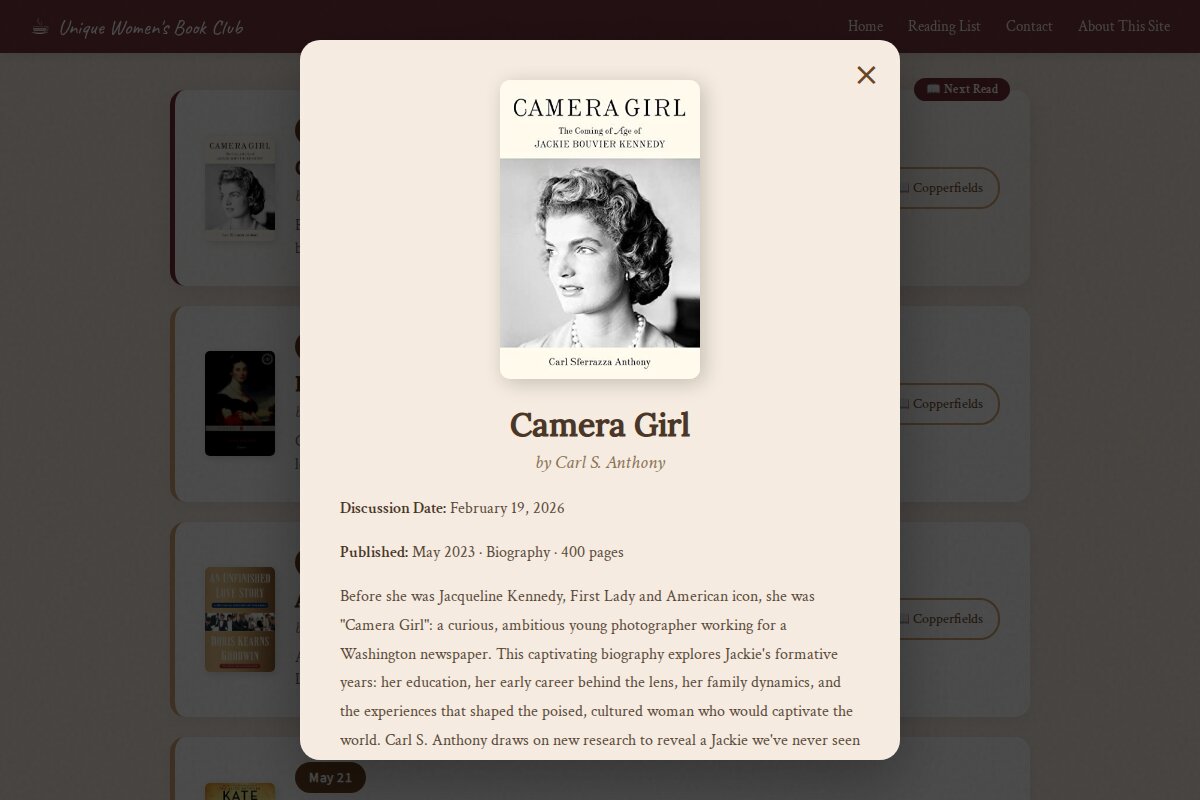
Live at uwbookclub.com
Stack Overview
Architecture
The development workflow used a conversational interface to an AI coding agent running in a cloud VM:
exe.dev
exe.dev provides persistent Linux VMs with instant HTTPS access. Each VM runs Shelley, a coding agent accessible via web browser on port 9999. The VM has full shell access, can install packages, run servers, and persist data across sessions.
Shelley
Shelley is a coding agent that uses Claude as its LLM backend. It has access to tools including:
- $
bash- Execute shell commands - 📝
patch- Make precise file edits - 🌐
browser_*- Headless browser for screenshots, navigation, JS evaluation - 🔍
keyword_search- Semantic code search
CSS Techniques
Paper Texture Overlay
The subtle paper texture is achieved with an SVG noise filter applied via CSS:
body::before {
    content: '';
    position: fixed;
    inset: 0;
    pointer-events: none;
    opacity: 0.15;
    background-image: url("data:image/svg+xml,%3Csvg viewBox='0 0 200 200'
        xmlns='http://www.w3.org/2000/svg'%3E%3Cfilter id='noise'%3E
        %3CfeTurbulence type='fractalNoise' baseFrequency='0.85'
        numOctaves='4' stitchTiles='stitch'/%3E%3C/filter%3E
        %3Crect width='100%' height='100%' filter='url(%23noise)'/%3E
        %3C/svg%3E");
    mix-blend-mode: multiply;
}
Typography Stack
- ✦
Caveat- Handwritten display font for headings - ✦
Crimson Text- Elegant serif for body text - ✦
Lora- Secondary serif for subheadings - ✦
Source Sans 3- Clean sans-serif for UI elements
Other CSS Features
- → CSS Grid and Flexbox for layouts
- →
backdrop-filter: blur()for frosted glass nav - → CSS animations with
@keyframesfor page load effects - → CSS variables for consistent theming
- → Media queries for responsive design
- →
scroll-behavior: smoothfor anchor navigation
Frontend Design Skill
The design quality was enhanced using Anthropic's frontend-design skill, which provides guidance for creating distinctive, production-grade interfaces.
Key Principles from the Skill
- ✦ Bold aesthetic direction - Commit to a clear visual concept (cozy coffee shop)
- ✦ Distinctive typography - Avoid generic fonts like Arial/Inter
- ✦ Atmospheric details - Textures, gradients, subtle animations
- ✦ Cohesive color palette - Dominant colors with intentional accents
- ✦ Context-appropriate design - Match the vibe of Aqus Café and a book club
Conversational Development
The entire site was built through natural language prompts. Here's the actual development flow:
"I'd like to make 5 different creative landing page concepts for my mom's book club..."
Shelley generated 5 complete HTML files with distinct visual styles. After selecting concept 3 (coffee shop theme), refinement continued:
"Can we add a hero background image with a semi-transparent overlay that is the color of the current background on the website?"
"It's hard to make out the text 'Petaluma, California' on the background image."
"Can we link to the actual book page on Copperfield's website like copperfieldsbooks.com/book/9781982141875 for Camera Girl?"
Each prompt resulted in working code changes, committed to git, with the agent taking screenshots to verify the results.
Repository Structure
bookclub/
├── index.html          # Main landing page (36KB)
├── about-site.html     # How it was built (simple)
├── about-site-technical.html  # This page
├── favicon.svg         # Coffee cup favicon
├── covers/             # Book cover images
│   ├── camera-girl.jpg
│   ├── emma.jpg
│   ├── unfinished-love-story.jpg
│   ├── rose-code.jpg
│   └── offing.jpg
├── concept[1-5].html   # Original design concepts
├── CNAME               # Custom domain config
└── .git/               # Version control
Other Projects
This book club site isn't my only project built with Shelley on exe.dev. Here are some others:
All of these projects were built on exe.dev with the help of the Shelley coding agent.
Resources
- → exe.dev - Cloud VMs with AI coding agents
- → Introducing Shelley - Blog post about the coding agent
- → Shelley on GitHub - Open source repository
- → Anthropic Skills - Reusable AI guidance patterns
- → Frontend Design Skill - The skill used for this site
- → Anthropic Docs - Claude API documentation
Build Your Own
This is a very simple example of what's possible with Shelley on exe.dev. I'd love to see what others create and how they document it.
If you've built something with Shelley, consider writing your own "how I built this" page. Here's a prompt you can use to generate one:
Create a "how I built this" page for my project. Include:

1. Project name and URL: [YOUR PROJECT]
2. What it does: [BRIEF DESCRIPTION]
3. Why I built it: [YOUR MOTIVATION]
4. Key features: [LIST MAIN FEATURES]
5. Tech stack: [WHAT TECHNOLOGIES WERE USED]

Use a clean, technical aesthetic similar to
https://uwbookclub.com/about-site-technical.html

Include sections for: origin story, stack overview,
key implementation details, and a screenshot carousel.
Use minimalist SVG icons instead of emoji.
Share what you've built! Tag @anthropicandy or @boldprogramming on X.